Blog

  • Build a Payment Backup Plan for Your Online Business

    Build a Payment Backup Plan for Your Online Business

    Example scenario: on a Friday evening during a sale, a store owner’s bank flags a large ad charge as suspicious and blocks the business card. Within hours, the Meta ad account fails its next charge and campaigns pause. On Saturday, the email platform’s renewal fails too. The bank’s fraud team can unblock the card on Monday. The sale weekend is mostly lost, not because anything was wrong with the business, but because every critical service depended on one card.

    Cards fail for ordinary reasons: fraud flags, expiry, lost cards, bank outages, a limit reached at the wrong moment. A payment backup plan makes sure one failure does not stop the services that keep your business running. This guide walks through mapping critical vendors, choosing backup payment methods, setting them up ahead of time, and testing the plan so it works when you need it.

    Why a single card is a single point of failure

    • Fraud checks are automatic. Unusual amounts, new merchants or foreign charges can trigger a block without warning.
    • Expiry dates arrive quietly. A replacement card means updating every vendor, and some get missed.
    • Reissue takes time. If a card is compromised, the bank cancels it, and the replacement may take days.
    • Failed charges have consequences. Ad platforms can pause campaigns, hosting providers can suspend services, and some tools lock accounts until payment succeeds.

    Step 1: Map your critical vendors

    Not every subscription needs a backup. Focus on the services whose failure would stop sales or operations within a day or two.

    VendorWhat fails if payment failsHow fast it hurtsPrimary cardBackup methodBackup tested?
    Store platformStorefront and checkoutHours to daysFill inFill inDate
    Hosting and domainWebsite and emailHours to daysFill inFill inDate
    Ad platformsPaid trafficImmediately after a failed chargeFill inFill inDate
    Email marketingCampaigns and flowsDaysFill inFill inDate
    Payment-dependent appsShipping labels, reviews, supportDaysFill inFill inDate

    Rank each vendor 1 to 3 by impact. Every “1” needs a backup payment method in place before anything goes wrong.

    Step 2: Choose your backup options

    Backup optionStrengthsWeaknesses
    Second card from the same bankEasy to getA bank-wide outage or account freeze can hit both cards
    Card from a different bankIndependent from the primary bankAnother account to maintain
    Prepaid card from a separate providerIndependent, and spending is capped at the loaded balanceNeeds topping up; some merchants decline prepaid cards
    Prepaying a platform’s balanceNo charge can fail during the prepaid periodMoney is locked into one platform; not every platform offers it
    Invoicing or bank transfer billingNo card involvedUsually only for larger accounts or certain regions

    The strongest plans use backups that do not share a failure point with the primary card: a different bank or a different provider.

    Step 3: Set up backups where platforms support them

    Some platforms let you add a backup payment method that is charged automatically if the primary fails. Google Ads, for example, will try your backup if the primary payment method fails for reasons such as insufficient funds, expiry or a decline. According to Google’s help page on backup payment methods, the backup must be a credit or debit card, and you can set one backup at a time.

    Where a platform has no automatic backup feature, store the backup card in the account as a second payment method if allowed, or keep it ready in a password manager with step-by-step notes on how to switch.

    Step 4: Write a one-page runbook

    When a card fails at a bad time, you want instructions, not decisions. Your runbook should include:

    1. Who is allowed to switch payment methods, and who backs them up.
    2. Where the backup card details are stored and who has access.
    3. The order in which to update vendors, starting with the “1” ranked ones.
    4. How to contact the bank’s fraud team and each critical vendor’s billing support.
    5. How to top up the backup card if it is prepaid.
    6. How to switch back to the primary card once it is fixed.

    Step 5: Test twice a year

    • Make a small purchase on each backup card to confirm it works.
    • Check expiry dates on every primary and backup card.
    • Confirm backup methods are still attached to critical vendor accounts.
    • Check the prepaid backup’s balance covers at least one billing cycle for the “1” vendors.
    • Update the vendor map with any new tools.

    Example: a prepaid backup card with Vizovcc

    A prepaid card from a separate provider is a practical backup because it does not depend on your main bank. Vizovcc is one option. You fund an account balance with crypto such as USDT, USDC, Bitcoin or ETH, then buy prepaid virtual Visa or Mastercard cards from that balance. Signing up needs an email, and funding does not need a bank account, so the backup stays usable even if your bank has blocked your main card. See funding prepaid cards with crypto for how deposits and card purchases work.

    A sensible setup: keep one Vizovcc card loaded with enough to cover a billing cycle or two for your most critical tools, and a second one for ad platforms if paid traffic is central to your business. Keep both frozen from the dashboard until needed if you prefer, and unfreeze them when you switch. Card details stay in your dashboard, and many cards are ready within minutes of purchase, but buy the backup in advance rather than in the middle of an outage. Every card supports 3D Secure, which some platforms request when you add a new card.

    Plan around the limits. Each platform decides which cards it accepts, and any merchant can decline a prepaid card, so test the backup with each critical vendor during calm periods. Vizovcc cards have no credit line: a charge larger than the balance will be declined, so size the balance to your real billing amounts. Card purchases are final, and anyone with the login sees every card, so store access as carefully as your bank login. Platform rules on payment methods and ad policies still apply.

    FAQ

    How much should a backup card hold?

    Enough to cover one to two billing cycles for your top-ranked vendors. Review it when your ad budgets or subscriptions change.

    Should the backup card be used day to day?

    No. A card used daily is exposed to the same fraud flags and limits as the primary. Keep the backup for emergencies and tests.

    What about the payments I receive from customers?

    This guide covers paying your vendors. Payment acceptance needs its own plan, such as a second payment provider at checkout, which your store platform’s documentation can help with.

    Key takeaways

    • One card paying every critical service is a single point of failure.
    • Map critical vendors, rank them, and give every top-ranked vendor a backup method.
    • Choose backups that do not share a failure point with the primary card.
    • Use built-in backup features where platforms offer them, and keep a one-page runbook.
    • Test backups twice a year so they work when you need them.

    Spend an hour this week filling in the vendor map and checking which critical services have no backup. If a prepaid backup card from a separate provider would close that gap, take a look at Vizovcc and pick a card sized to one billing cycle of your critical tools.

  • Virtual Card vs Physical Card for Your Online Subscriptions

    Virtual Card vs Physical Card for Your Online Subscriptions

    Example scenario: your bank texts you about a suspicious charge at a store you have never visited. You freeze the card, the bank ships a replacement, and over the next three weeks your music app, cloud storage, password manager, news site and a forgotten fitness app all fail to renew, one by one. Some pause your account, one deletes your playlists after a grace period, and you spend an evening updating card details on eleven websites.

    That chain reaction is the hidden cost of putting every subscription on the card you carry in your wallet. This guide compares a virtual card vs physical card for recurring online payments, looks at where each one is the better fit, and walks through a simple setup that keeps renewals running when something goes wrong.

    What is the difference, in practice?

    A physical card is the plastic or metal card you use in shops, at ATMs and online. A virtual card is a card number, expiry date and security code issued without plastic. You view it in an app or dashboard and type it into checkouts, or add it to a phone wallet.

    The type of account behind the card (debit, credit or prepaid) matters as much as the format. A virtual card can be a second number on your bank account, an extra number on a credit card, or a separate prepaid card with its own balance. Keep that in mind when you read the comparison below.

    Side-by-side comparison

    FactorPhysical cardVirtual card
    Exposure if a subscription site is breachedThe card you use everywhere is exposedOnly that virtual number is exposed
    Risk of card replacementHigher: lost, skimmed or compromised in shops and onlineLower: only used online with the merchants you chose
    Effect of a replacement on subscriptionsEvery subscription on it can fail at onceOnly subscriptions on that number are affected
    ATM and in-store useYesIn stores only through a phone wallet, where supported; usually no ATM use
    Ease of stopping a merchant’s chargesFreezing affects all your spendingFreeze or delete one number without touching your main card
    Budget controlShares your main account or credit limitPrepaid virtual cards stop at their balance
    Merchant acceptanceWidest, especially for debit and credit cardsDebit and credit numbers widely accepted; prepaid cards declined by some merchants
    ExpiryUsually several years, replaced automaticallyVaries by provider, from months to several years

    Why physical cards are a weak home for subscriptions

    They get replaced more often

    The card in your pocket is used at petrol pumps, restaurants and online stores. Each of those is a chance for the number to leak or the card to be lost. When it is replaced, the new number breaks every recurring payment on the old one. Some card networks offer automatic updater services that pass new details to merchants, but not every merchant uses them, so you cannot count on it.

    One leak reaches everything

    Subscription services store your card number for months or years. If any one of them is breached, the card you use for groceries and rent is the one exposed. Moving subscriptions to a separate number keeps those two worlds apart.

    Stopping one merchant means stopping everything

    If a service keeps charging after you cancel, your bank may suggest blocking the card. On a physical card, that blocks your daily spending too. On a dedicated virtual card, you can freeze one number and carry on.

    Where physical cards still win

    • Acceptance: a bank-issued debit or credit card is accepted almost everywhere, including merchants that refuse prepaid cards.
    • Card updater services: when your bank replaces a card, some merchants receive the new details automatically.
    • Credit card protections: a physical credit card gives you the issuer’s dispute process and, in many countries, legal protections on purchases.
    • Offline use: ATMs and shops that do not take phone wallets still need plastic.

    Where virtual cards win for subscriptions

    • Isolation: a breach or a dispute affects one number, not your everyday card.
    • Fewer forced changes: a card used only for online subscriptions is replaced less often, so renewals fail less often.
    • Control: you can freeze or retire one card without touching your main account.
    • Budget caps: a prepaid virtual card cannot be charged beyond its balance, which limits what a forgotten trial or a price increase can take.
    • Wallet use: many virtual cards can be added to Apple Pay or Google Pay, so they can work in stores too. Wallet availability depends on the card issuer and the country. Google’s list of supported countries for Google Wallet is a useful first check.

    A practical setup in six steps

    1. List every subscription. Check your last three months of statements and app store subscription pages. Note the amount, billing day, currency and which card pays it.
    2. Sort them by importance. Separate the essentials (password manager, cloud storage, work tools) from the nice-to-haves.
    3. Check each merchant’s payment rules. Some merchants decline prepaid cards. For those, use a bank-issued virtual debit or credit number instead.
    4. Create one or more virtual cards for subscriptions. One card for all subscriptions is simple. One card per group (work tools, entertainment, family services) gives you finer control.
    5. Move subscriptions over one by one. Update the payment method on each service, then confirm the next renewal goes through on the new card.
    6. Set a monthly check. On the same day each month, look at the card balance or statement and remove anything you no longer use.

    Common mistakes

    • Deleting a virtual card before cancelling the subscription. A declined payment is not a cancellation. The merchant may keep the account open, retry the charge or send the balance to collections. Cancel with the merchant first.
    • Letting a prepaid balance run dry. If you use a prepaid virtual card, keep enough on it for the next round of renewals.
    • Ignoring expiry dates. Note when each virtual card expires and update subscriptions before that date.
    • Mixing currencies. A EUR subscription on a USD card is converted on every charge. Where possible, pay from a card in the currency the service bills in.

    Example: a separate prepaid card with Vizovcc

    One way to build the setup above is a dedicated prepaid card. Vizovcc sells prepaid virtual cards that you buy from an account balance funded with crypto such as Bitcoin, USDT, USDC or ETH. There is no credit line and nothing to repay, and you do not need a bank account to fund it.

    A few details are relevant for subscriptions:

    • You can hold several cards in one account, each with its own balance, so work tools and entertainment can sit on different cards.
    • Each card can be frozen and unfrozen from the dashboard.
    • Card pages show Apple Pay and Google Pay compatibility, so the same card may also work in stores where the wallet is supported.
    • Cards support 3D Secure, which many subscription checkouts ask for.
    • The catalog includes USD cards and cards in several other currencies, so you can match a card to where a service bills.

    There are limits to plan around. Vizovcc is funded with crypto only. Like any prepaid card, it may be declined by some merchants, so test it with one service before moving everything. Card purchases are final, so choose the card and currency carefully. Vizovcc also publishes a guide to its virtual Visa and Mastercard cards with tips for online payments and declined charges.

    FAQ

    Will a virtual card stop a subscription from renewing?

    It can make the renewal fail, but that is not the same as cancelling. Always cancel through the service’s account settings or app store, then remove the card if you want.

    Do streaming services accept virtual cards?

    Many accept virtual debit and credit numbers. Prepaid acceptance varies by service and country, so check the service’s help page or test with a small balance.

    Should I put every subscription on one virtual card?

    One card is easier to manage. Several cards give you more control and make it easier to stop one service without affecting the others. Start with one and split later if you need to.

    Key takeaways

    • A physical card used everywhere is replaced more often, and each replacement can break every subscription on it.
    • A virtual card dedicated to subscriptions isolates breaches and lets you stop one merchant without stopping your daily spending.
    • Physical bank cards still win on acceptance and, for credit cards, dispute protection.
    • Prepaid virtual cards add a budget cap but need their balance topped up and are not accepted everywhere.
    • Cancel with the merchant before you delete any card.

    Pick one subscription this week and move it to a separate card, then watch the next renewal go through. If a crypto-funded prepaid card suits you, have a look at Vizovcc and choose a card in the currency your subscriptions bill in.

  • Virtual Debit vs Credit vs Prepaid Cards: Which Do You Need?

    Virtual Debit vs Credit vs Prepaid Cards: Which Do You Need?

    Here is a common example. A freelancer signs up for a “virtual credit card” to pay for design software, expecting a small credit line that will help build a credit history. A week later she realizes she has to load money before every purchase, nothing is reported to a credit bureau, and the card is prepaid. Nothing went wrong with the card. The name just set the wrong expectation.

    The words “virtual”, “debit”, “credit” and “prepaid” get mixed together constantly, partly because “VCC” (virtual credit card) has become shorthand for almost any card number that lives in an app. The difference matters, because it decides what you pay, what happens if the number is stolen and whether you can overspend. This guide explains the three card types in plain terms and gives you a quick way to choose.

    Virtual is the format, not the type

    “Virtual” only describes how the card is delivered: a card number, expiry date and security code shown in an app or dashboard, with no plastic. Behind every virtual card sits one of three funding models, the same ones used by physical cards. The question that separates them is simple: where does the money come from when you pay?

    Virtual credit card: borrowed money

    A virtual credit card draws on a line of credit from a lender. You pay later, usually through a monthly statement, and any balance you carry may accrue interest. Many banks let existing credit cardholders generate virtual numbers linked to the main account. Getting the underlying credit card normally involves a credit check, and how you use it can affect your credit history.

    Virtual debit card: your own bank money

    A virtual debit card takes money straight from a linked bank or e-money account. There is no credit line and no interest, but each payment reduces your account balance right away. If the number is misused, the money that leaves is yours until the dispute is resolved.

    Virtual prepaid card: money you load first

    A prepaid card spends only what has been loaded onto it in advance. There is no credit line and no direct link to your bank account. When the funds run out, payments decline. That makes prepaid cards a natural ceiling for subscriptions, trials and online purchases where you want a fixed maximum.

    Side-by-side comparison

    FeatureVirtual creditVirtual debitVirtual prepaid
    Source of fundsLender’s credit lineYour linked accountBalance loaded in advance
    Credit check to get oneUsually, for the underlying cardNo, but you need an eligible accountNo credit line, though identity checks may apply
    InterestPossible on carried balancesNoneNone
    Can you overspend?Up to the credit limitUp to the account balance, plus any overdraftNo, only the loaded amount
    Effect on credit historyCan build or damage itGenerally noneGenerally none
    If the number is stolenLender’s money is at risk firstYour account money is at riskOnly the money on that card
    Typical best useLarge purchases, rewards, building creditEveryday spending from your accountSubscriptions, trials, fixed budgets, separating spend

    Protections are not the same everywhere

    In the US, the rules differ by card type. According to the CFPB’s guidance on lost or stolen credit cards, you are not responsible for charges if you report a lost card before it is used, your liability is capped at $50 otherwise, and if only the number is stolen you generally aren’t liable at all. Debit card liability depends on how quickly you report: the CFPB says it can rise to $500 or more if you wait longer than two business days after learning of the loss. For prepaid accounts, the CFPB extended similar error-resolution and liability protections through its prepaid rule, with liability limited to $50 when you report promptly.

    Two caveats. These are US rules for US-regulated accounts. Outside the US, and with providers based elsewhere, protections depend on the issuer and its country, so read the provider’s terms. And card agreements can be more generous than the legal minimum, so check yours.

    Why providers blur the terms

    Search habits are a big part of it. “Virtual credit card” is the phrase many people type, so providers often use VCC as a category name even when their cards are prepaid or debit-style. Prepaid and debit cards also run on the same Visa and Mastercard networks as credit cards and are entered at checkout the same way, which adds to the confusion. Acceptance at checkout tells you nothing about the funding model. The provider’s terms do.

    Questions that reveal the real card type

    • Do I repay a statement later, or do I fund the card first?
    • Is there a credit limit set by a lender, or a balance I load?
    • Is the card linked to my bank account?
    • Can I be charged interest?
    • What happens to a refund: does it go to a statement, an account or the card balance?

    Which type do you need? A quick decision framework

    1. Do you want to build credit history or earn card rewards? Choose a virtual number linked to a credit card, and pay the statement in full.
    2. Do you want spending to come straight from your account with no extra product? A virtual debit card from your bank or account provider is the simplest option.
    3. Do you want a hard ceiling that can’t be exceeded? Choose prepaid. It suits subscriptions, trials and tools that bill on usage.
    4. Do you want separate cards for separate services, clients or projects? Any type can work, but prepaid makes each card’s maximum loss equal to its balance.
    5. Do you lack access to local credit or debit options that work abroad? A prepaid card in the currency your services bill in is often the practical answer.

    Many people end up with more than one. A common pattern is a credit card for large purchases and travel, a debit card for daily spending, and prepaid virtual cards for online subscriptions and tools.

    Example: what a prepaid VCC provider looks like

    ZenVCC is a useful example of the prepaid category, because it uses the common “VCC” name but is clear about the model. It describes itself as a technology platform, not a bank, and it offers no credit line. ZenVCC’s explainer on what a VCC is notes that most VCCs used for advertising are prepaid or debit-style cards you fund in advance.

    Here is how the model works in practice:

    • Funding: you add crypto (Bitcoin, USDT on TRC-20 or Solana, TRX or SOL) to one account balance. Each deposit is checked on its blockchain before it is credited in US dollars.
    • Cards: you buy virtual Visa, Mastercard, American Express or Maestro cards from that balance, one per subscription, client or project if you like. Most are prepaid. One exception, the Cloud Debit Mastercard, is a bank-issued debit card loaded with a fixed amount, which shows that even one provider’s catalog can mix card types.
    • Costs: each card has its price plus a one-time $10 issue fee, each payment costs $0.10, and there is no monthly fee.
    • Ceiling: a card can’t pay more than it holds, and there is nothing to repay later.
    • Validity: cards last three years from the day they are ready.
    • Identity: ZenVCC may ask you to verify your identity before you buy a card.

    What it doesn’t do matters too. There is no credit line, so it won’t build credit history, it doesn’t offer in-app spend limits or card freezing, and its cards can’t complete payments that ask for a 3-D Secure code. It fits the prepaid column in the table above: a fixed amount, spent online, kept separate from your bank account.

    Common mistakes

    • Assuming “VCC” means credit. Check the funding model before you rely on it for credit building or rewards.
    • Using a debit card for risky one-off purchases. A misused debit number drains your real account while the dispute runs.
    • Expecting prepaid cards to work everywhere. Each merchant decides which cards it accepts, and some exclude prepaid cards for certain billing types.
    • Treating a prepaid card as a way around rules. Card type doesn’t change a merchant’s terms, a platform’s policies or your tax obligations.

    Key takeaways

    • “Virtual” is the delivery format. Credit, debit and prepaid describe where the money comes from.
    • Credit uses a lender’s money, debit uses your account, prepaid uses a balance you load first.
    • Only prepaid gives a ceiling you can’t exceed, which suits subscriptions and fixed budgets.
    • Protections differ by card type and by country, so read the provider’s terms.
    • Many people use more than one type, each for the job it does best.

    Before you sign up for any virtual card, ask the five questions above and match the answer to what you need. If a prepaid card is the right fit for your online payments, see how ZenVCC structures its prepaid virtual cards and fees.

  • Elegant Charters Introduces Wedding Transfers in Perth, Offering Couples Flexible Chauffeur and Group Transport Options

    Elegant Charters Introduces Wedding Transfers in Perth, Offering Couples Flexible Chauffeur and Group Transport Options

    Elegant Charters, a Perth-based transportation provider, has introduced its wedding transfer services to support couples, wedding parties, and guests travelling to and from wedding venues across Perth and surrounding areas. The service provides access to a range of chauffeur-driven vehicles designed to accommodate different group sizes and travel requirements.

    Supporting Perth’s Wedding Transportation Needs

    Wedding days often involve coordinating transportation between multiple locations, including homes, ceremony venues, reception venues, hotels, and photography locations. Couples and wedding organisers must also consider travel arrangements for family members, bridal parties, and other guests.

    Managing these arrangements can present logistical challenges, particularly when several groups need to arrive at different destinations on a coordinated schedule.

    Additional details are available at: https://share.google/FSAdcLsUiOwdP7pXf

    Elegant Charters’ wedding transfer service addresses these requirements by offering vehicle options for individual passengers, couples, families, and larger wedding groups.

    A Range of Vehicles for Wedding Transfers

    The company’s transportation fleet includes sedans, SUVs, 4–7 seater vehicles, and 13–24 seater minibuses and maxi cabs. These options allow customers to organise transportation according to passenger numbers, luggage requirements, and the nature of their wedding itinerary.

    The service can support several wedding-related travel requirements, including:

    • Transportation for couples between ceremony and reception venues.
    • Chauffeur transfers for bridal parties and family members.
    • Group transportation for wedding guests.
    • Transfers between hotels, accommodation, and wedding venues.
    • Travel arrangements for guests arriving through Perth Airport.
    • Door-to-door transportation for wedding-related events.

    Customers can discuss their travel requirements and request quotes based on their preferred vehicle, passenger numbers, and journey details.

    Flexible Booking and Personalised Travel Arrangements

    Elegant Charters provides online booking facilities and quote requests to help customers organise transportation in advance. Its services also include flexible payment options, 24-hour booking availability, and free cancellation subject to applicable terms and conditions.

    Beyond wedding transportation, the company provides airport transfers, corporate travel, sightseeing tours, cruise transfers, FIFO transportation, long-distance journeys, and hotel drop-offs.

    The company also offers baby-seat options for families travelling with young children, allowing customers to communicate specific passenger requirements when arranging their journey.

    Supporting Wedding Transportation Across Perth

    Based in Southern River, Western Australia, Elegant Charters serves customers requiring transportation throughout Perth and surrounding locations.

    The introduction of wedding transfers adds another option to the company’s existing range of private transportation and chauffeur services. By offering vehicles for different passenger capacities, the business aims to accommodate both individual travel arrangements and larger group transportation requirements.

    Customers planning weddings can visit the company’s website to review available services, request a quote, and arrange their transportation.

    Executive Statement

    PROPOSED COMPANY QUOTE — REQUIRES APPROVAL BEFORE PUBLICATION

    “Wedding transportation involves more than simply getting from one destination to another. It requires careful planning, reliable scheduling, and suitable vehicles for everyone involved. Our wedding transfer service is designed to give couples and their guests flexible transportation options, whether they need an individual chauffeur-driven vehicle or transport for a larger group,” said a spokesperson for Elegant Charters.

    Future Outlook

    Elegant Charters plans to continue supporting Perth’s private transportation needs through its range of chauffeur, airport, event, and group travel services. Its wedding transfer offering provides another option for couples and wedding organisers seeking coordinated transportation for upcoming celebrations.

    About Elegant Charters

    Elegant Charters is a transportation and chauffeur service provider based in Southern River, Western Australia. The company offers professional chauffeur services, airport transfers, private transportation, corporate travel, tours, wedding transfers, event transportation, and group travel throughout Perth and surrounding areas.

    Its fleet includes sedans, SUVs, 4–7 seater vehicles, and 13–24 seater minibuses and maxi cabs. Additional services include FIFO transfers, cruise transportation, long-distance travel, hotel transfers, and family transportation with baby-seat options.

    The company provides online booking, quote requests, flexible payment options, and 24-hour booking availability.

    Media Contact

    Elegant Charters

    Southern River, WA, Australia

    Phone: +61 458 655 640

    Website: https://elegantcharters.com.au/

  • Valentine Services Highlights Tree Stump Removal Services for Safer, Cleaner Yards in Cincinnati

    Valentine Services Highlights Tree Stump Removal Services for Safer, Cleaner Yards in Cincinnati

    Valentine Services – Stump Grinding is highlighting its tree stump removal services for residential and commercial property owners throughout Cincinnati, Ohio, and Northern Kentucky. The company provides professional stump grinding and root removal solutions designed to help property owners address leftover tree stumps, exposed roots, and potential tripping hazards while improving the usability and appearance of outdoor spaces.

    Tree stumps left behind after tree removal can create challenges for property owners. In addition to affecting the appearance of a yard, remaining stumps and surface roots can interfere with lawn maintenance, landscaping projects, and everyday property use. They may also create obstacles for pedestrians, lawn equipment, and contractors working on outdoor improvements.

    Valentine Services addresses these concerns through specialized stump grinding and removal services. The company works with homeowners, businesses, property managers, and contractors who need unwanted stumps removed as part of routine property maintenance, landscaping improvements, or site preparation projects.

    Addressing Common Property Maintenance Challenges

    Removing a tree does not always eliminate the problems associated with its remaining stump and root system. Tree stumps can occupy usable yard space, complicate mowing, and become obstacles during landscaping or construction work.

    Additional details are available at: https://share.google/FhICefWA6JHjY7oiz

    Professional stump grinding provides a practical approach to reducing these obstructions. By grinding unwanted stumps below the surrounding ground level, property owners can prepare affected areas for future landscaping, lawn care, or other outdoor improvements.

    Valentine Services also offers root grinding to address exposed or problematic surface roots that may affect the usability and appearance of outdoor areas.

    Stump Grinding Solutions for Residential and Commercial Properties

    Valentine Services – Stump Grinding provides services for a range of property types and project requirements. Its service offerings include residential stump grinding, commercial stump grinding, large stump removal, surface root grinding, wood chip cleanup, and site restoration.

    These services support homeowners looking to reclaim yard space, commercial property operators maintaining outdoor areas, and contractors preparing properties for landscaping or other projects.

    The company evaluates individual projects and provides free estimates to help customers understand the work involved before scheduling service. Its approach focuses on reliable service, property-specific solutions, and customer communication.

    Serving Cincinnati and Northern Kentucky Communities

    Based in the Cincinnati service market, Valentine Services serves residential and commercial customers across southwestern Ohio and Northern Kentucky.

    Its service areas include Cincinnati, Blue Ash, Mason, West Chester, Fairfield, Loveland, Hamilton, Florence, Covington, Erlanger, Burlington, Hebron, and surrounding communities.

    The company is licensed and insured and provides stump grinding services intended to help property owners maintain safer, cleaner, and more functional outdoor environments.

    Company Perspective

    “Removing an unwanted tree stump can make a meaningful difference in how a property looks and functions,” said a representative of Valentine Services – Stump Grinding. “We work with homeowners, businesses, and contractors to address stump and surface root issues so they can make better use of their outdoor spaces.”

    Supporting Long-Term Property Improvements

    As property owners continue to maintain and improve their outdoor spaces, stump removal remains an important consideration following tree removal projects. Addressing leftover stumps and surface roots can make future lawn care, landscaping, and property improvements easier to manage.

    Valentine Services – Stump Grinding continues to serve the Cincinnati and Northern Kentucky region with residential and commercial stump grinding solutions. Property owners interested in tree stump removal can contact the company to discuss their project and request a free estimate.

    About Valentine Services – Stump Grinding

    Valentine Services – Stump Grinding provides professional tree stump grinding and removal services throughout Cincinnati, Ohio, and Northern Kentucky. The company serves homeowners, businesses, property managers, and contractors with residential and commercial stump grinding, root grinding, large stump removal, chip cleanup, and site restoration. Valentine Services is licensed and insured and offers free estimates for property owners seeking practical solutions for unwanted tree stumps and surface roots.

    Media Contact

    Valentine Services – Stump Grinding
    Email: bikemanjrv95@gmail.com
    Phone: 513-570-4626
    Website: https://www.513stumps.com/

  • A Developer’s Guide to Paying for Domains, Hosting and VPS With Stablecoins

    A Developer’s Guide to Paying for Domains, Hosting and VPS With Stablecoins

    You earn in USDT or USDC, and you’d like your infrastructure bills to come out of the same wallet. Some registrars and hosts take crypto at checkout; most take cards. The first payment is easy either way. The renewal a year later, while you’re busy, is where sites go offline and domains get lost.

    Quick answer

    1. Native crypto checkout works well for one-off and annual payments, but it usually can’t auto-renew. You have to pay each invoice by hand, on time, on the right network.

    2. A stablecoin-funded card lets the provider auto-renew like any card, as long as the card has balance on the renewal date.

    3. Whatever you use, know the grace period for each service. Domains, shared hosting and VPS handle late payment very differently.

    Two ways to pay with stablecoins

    Native crypto checkout. The provider (or a crypto payment processor it uses) generates an invoice with an address, an amount and a network. You send the exact amount from your wallet before the quote expires. The provider sees the transaction on-chain and marks the invoice paid once it has enough confirmations.

    A crypto-funded card. You top up a prepaid card with stablecoins, and the provider charges the card like any other. From the provider’s side, it’s a normal card payment.

    FactorNative crypto checkoutStablecoin-funded card
    AvailabilityOnly providers that offer it, and often only some coins or networksAny provider that accepts the card network and prepaid cards
    Auto-renewRarely; each invoice is paid by handYes, like any saved card
    Payment windowQuote often expires within a short windowNo quote; charged when the invoice is due
    Wrong network or amountUnderpayments and wrong-network sends can leave the invoice unpaid and funds hard to recoverNetwork choice happens once, at top-up
    RefundsProvider’s policy; often as account credit or crypto at the current rateTo the card, under card rules
    FeesNetwork fee, plus any processor feeCard fees and top-up fee, plus the network fee on deposit
    Prepaid card blocksNot applicableSome providers decline prepaid cards

    Neither is better in general. Native checkout avoids card fees and card blocks. The card wins on renewals, because it is the only option that renews without you.

    Native crypto checkout: the details that cause failed payments

    If you pay invoices directly from a wallet:

    • Match the network exactly. If the invoice says USDT on TRC20, send on TRON (addresses start with T). If it says ERC20, Polygon or BEP20, those are EVM chains with addresses that start with 0x, and the same address format on two chains doesn’t mean the payment will be seen on both.
    • Send the full amount. If you withdraw from an exchange, it may deduct its withdrawal fee from the amount sent. The invoice then arrives short and may stay unpaid. Add the fee on top, or send from a self-custody wallet.
    • Pay inside the quote window. Processors fix the rate for a limited time. Send early in that window, not at the end.
    • Keep the transaction hash. If the invoice doesn’t update, support will ask for it.
    • Calendar every renewal. A crypto invoice won’t pay itself. Set reminders well before the due date, because the provider may suspend the service on the due date or shortly after.

    Grace periods: what happens when you pay late

    Late payment is where domains, hosting and VPS differ most.

    Domains. For most generic top-level domains (.com, .net, .org and others), expiry starts a sequence. After the expiry date, the registrar usually gives you a period to renew at the normal price. ICANN’s Expired Registration Recovery Policy sets minimum rules for that window, though registrars set their own length and fees above the minimum. [VERIFY: current ERRP minimums on icann.org] After that, many domains enter a redemption grace period, typically 30 days, where you can still restore the name, but only by paying a restore fee that is often much higher than the renewal. After redemption comes pending delete, about five days, after which the name is released and anyone can register it. Country-code domains (.de, .io, .co and others) follow their own registry rules.

    Shared hosting and managed platforms. Providers usually suspend the account a few days after an unpaid invoice and delete it some time later. The gap between suspension and deletion is set in each provider’s terms. [VERIFY: if naming a provider, quote its terms]

    VPS and cloud servers. These are often the strictest. Some providers suspend at the due date, and deletion of the server and its disks can follow quickly. Keep your own backups off the server, whatever the provider promises.

    The lesson: a domain gives you weeks, a VPS may give you days. Prioritize your renewal reminders and funding accordingly.

    A renewal plan that survives a busy year

    1.  List every paid service: registrar, DNS, hosting, VPS, CDN, email, backups, SSL if paid. Note the renewal date, the amount and the payment method for each.

    2.  Turn on auto-renew wherever the payment method supports it, especially for domains.

    3.  Renew domains for more than one year where the price makes sense. It removes a yearly failure point.

    4.  Keep account credit where offered. Many hosts and registrars let you prepay a credit balance, which renewals draw from before charging the card. That works well with crypto: top up the credit once, and renewals come out of it.

    5.  Use a separate card for infrastructure, funded at least one full renewal cycle ahead, with a buffer for tax and currency conversion.

    6.  Keep the registrar contact email working. Expiry notices go there. A domain on an email address at the same domain is a trap: when the domain expires, so do the notices.

    7.  Back up off-provider. Export databases and files to storage you control on a schedule. If a server is deleted for non-payment, the backup is what’s left.

    8.  Check thirty days before each renewal: is the card funded and unfrozen, is the account credit enough, is the invoice the amount you expect?

    Using a stablecoin-funded card for renewals

    For most developers paid in crypto, the practical setup is a mix: native checkout for providers that offer it and for one-time purchases, and a stablecoin-funded card for everything that needs to renew without you.

    As one example, VCCBuy’s cards for SaaS and hosting are prepaid Visa and Mastercard cards that you top up with USDT on TRC20, BEP20, ERC20, Polygon or Solana, or with USDC and several other coins. Balances are held in USD, and deposits are checked before they are credited, so fund the card ahead of renewal dates rather than on the day. You can save a billing name and address per card, freeze it when you leave a provider, and withdraw unspent balance to a crypto wallet. BTC deposits aren’t accepted, so swap bitcoin to a stablecoin first.

    The limits: VCCBuy is not a bank, its cards are prepaid, and some registrars and hosts decline prepaid cards or ask for extra verification. Check the BIN against the provider’s accepted methods before you move a domain’s renewal onto any new card. Bank-issued virtual cards and PayPal are common alternatives.

    FAQ

    Can I set up automatic renewal if I pay a host in crypto? Usually not with native crypto checkout, because each payment is a new on-chain transaction you send. Some providers let you prepay account credit in crypto, which renewals then use. Otherwise, a card is the way to get true auto-renew.

    What happens if my domain expires because a payment failed? For most generic domains you still have time: a renewal window set by your registrar, then usually a redemption period with a restore fee, then deletion. Renew as soon as you notice; the cost rises at each stage.

    Is it safe to keep a large balance on a card for renewals? Keep enough for the next renewal cycle plus a buffer, not years ahead. A lean balance limits exposure if the card number is ever compromised.

    Conclusion

    Stablecoins pay infrastructure bills well. The weak point is renewals. Native crypto checkout is clean for one-off payments, but it relies on you paying each invoice on time and on the right network. For anything that must renew while you’re busy, put it on auto-renew with a funded card or account credit, and keep backups that don’t depend on the bill being paid. VCCBuy is one stablecoin-funded option to compare.

    About the author: [Author name] is a payments and fintech writer at VCCBuy (https://vccbuy.net/), where they cover virtual cards, card networks and spending stablecoins online. They write about paying for developer infrastructure with crypto, and the renewal setups that keep sites online.

    Disclosure: the author writes for VCCBuy, which is mentioned in this article.

  • Affordable Local Moving Services for Stress-Free Relocation

    Affordable Local Moving Services for Stress-Free Relocation

     Asher Movers Local & Long Distance has expanded its moving service offerings with local moving services for homeowners, renters, businesses and other customers in Skokie and communities throughout the Chicago area. The service is designed to support customers planning relocations within the region with coordinated moving assistance and careful handling of household and business belongings.

    Local moves can involve a range of logistical challenges, including coordinating transportation, packing belongings, navigating apartment buildings and managing schedules around work, school and other obligations. Asher Movers is responding to those needs by providing local moving assistance tailored to the size and circumstances of each relocation.

    Supporting Local Relocations

    Asher Movers provides moving services for customers relocating within Chicago and nearby suburbs. Its local moving services are intended for residential and commercial moves, including apartment relocations and other moves that require transportation and handling of furniture, household goods and business property.

    The company also provides packing services for customers who need assistance preparing belongings before moving day. Additional specialty services include piano moving and other moves involving items that require specialized handling.

    Company Response

    Asher Movers said its local moving service reflects the company’s broader focus on providing moving options for customers with different relocation requirements.

    The company works with homeowners, businesses, students and military families and provides moving solutions based on the scope of each move. Asher Movers is licensed and insured and serves Chicago and surrounding suburbs.

    Service Details

    Asher Movers’ service offerings include:

    • Local moving
    • Long-distance moving
    • Commercial relocation
    • Apartment moving
    • Packing services
    • Piano moving
    • Specialty moving services

    For customers planning a local relocation, the company provides moving assistance intended to help coordinate transportation, loading, unloading and the careful handling of belongings throughout the process.

    Company Background

    Asher Movers is a Chicago-area moving company serving customers in Chicago and nearby suburbs. The company provides local and long-distance moving services as well as commercial relocation, apartment moving, packing, piano moving and specialty moving solutions.

    Its moving services are available to homeowners, businesses, students and military families. Asher Movers is licensed and insured and focuses on providing customized moving solutions based on customers’ relocation needs.

    Executive Quote

    “Every local move comes with its own set of logistical considerations, whether it involves an apartment, a family home or a business,” said a representative of Asher Movers. “Our goal is to provide customers with organized moving support and careful handling of their belongings throughout the relocation.”

    Future Outlook

    Asher Movers plans to continue supporting customers throughout the Chicago area as demand for flexible local and long-distance relocation services evolves. The company expects its expanded local moving offering to provide another option for customers seeking professional assistance with moves within Skokie, Chicago and surrounding communities.

    Additional details are available at: https://share.google/ARk5r1Acgk9hptlQg

    Customers can learn more about Asher Movers and its moving services at ashermovers.com.

    About Asher Movers Local & Long Distance

    Asher Movers is a Chicago-area moving company providing local and long-distance moving services throughout Chicago and nearby suburbs. The company offers residential and commercial relocation, apartment moving, packing, piano moving and specialty moving services. Asher Movers is licensed and insured and serves homeowners, businesses, students and military families with moving solutions tailored to individual relocation needs.

    Media Contact

    Asher Movers Local & Long Distance
    Email: info@ashermovers.com
    Phone: 773-638-4167
    Website: ashermovers.com

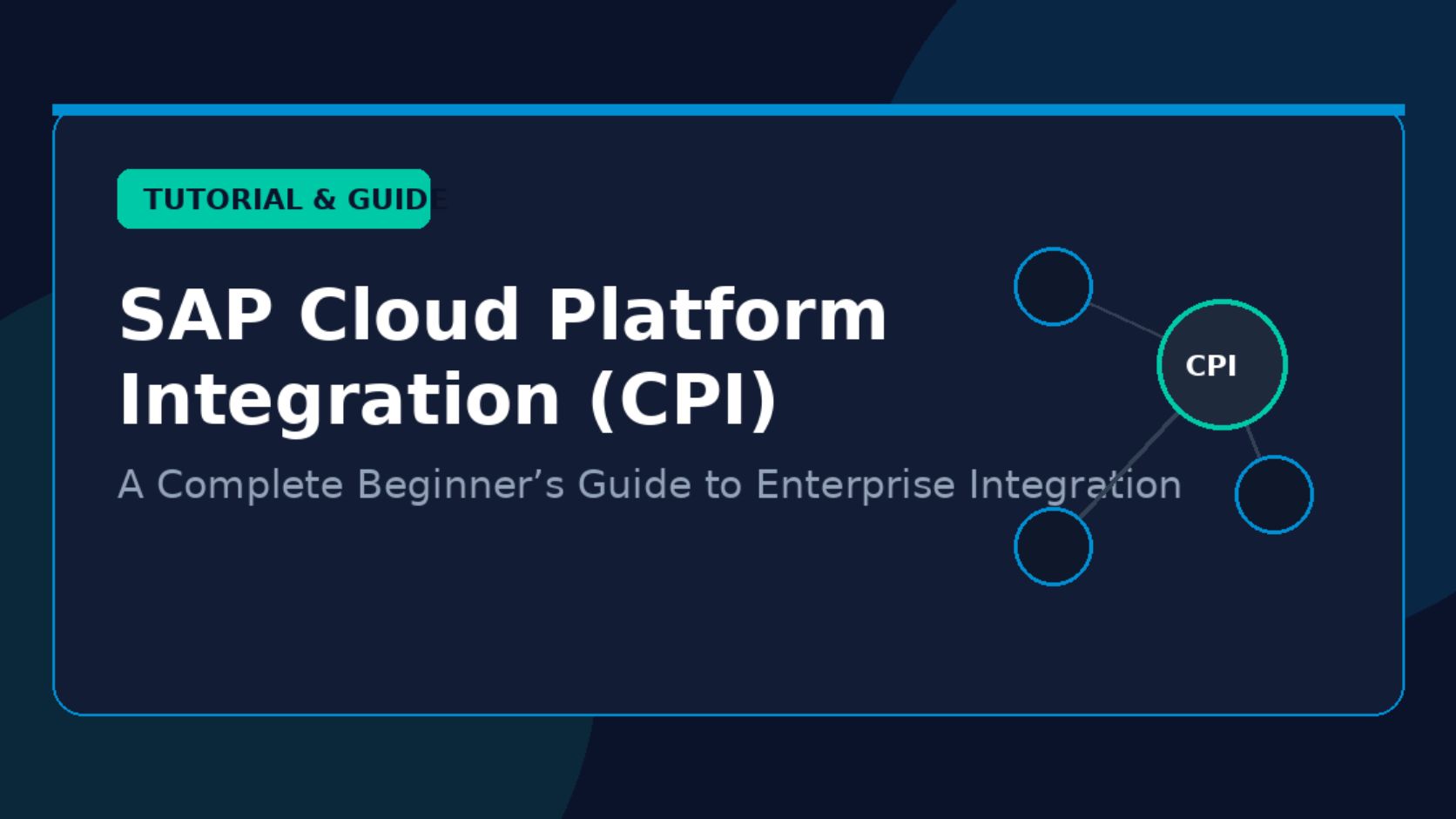
  • SAP Cloud Platform Integration: A Complete Beginner’s Guide

    SAP Cloud Platform Integration: A Complete Beginner’s Guide

    SAP Cloud Platform Integration is a cloud-based integration service that connects SAP applications, non-SAP systems, cloud platforms, databases, APIs, and business applications. It helps organizations exchange data between different systems without requiring every application to communicate directly with every other application.

    SAP Cloud Platform Integration was part of SAP Cloud Platform and is now commonly associated with SAP Integration Suite, where Cloud Integration provides the capabilities previously known as SAP Cloud Platform Integration or SAP CPI.

    For beginners, understanding integration flows, adapters, messages, mappings, endpoints, and Destinations is important. These components work together to move and transform business data between connected systems.

    What Is SAP Cloud Platform Integration?

    SAP Cloud Platform Integration is an integration platform as a service, commonly called an iPaaS. It provides tools for designing, deploying, monitoring, and managing integrations between different applications.

    A typical business may use SAP S/4HANA for enterprise resource planning, Salesforce for customer management, SuccessFactors for human resources, and external applications for payment, logistics, or analytics. These systems often use different data formats and communication protocols.

    SAP Cloud Platform Integration creates a connection layer between these systems.

    For example, when a customer record is created in one application, an integration flow can receive the information, transform the data into the required format, and send it to another application.

    This process can include:

    • Data extraction
    • Data transformation
    • Message mapping
    • Authentication
    • Routing
    • Validation
    • Error handling
    • Monitoring

    The platform supports both SAP-to-SAP and SAP-to-non-SAP integration scenarios.

    Why Is SAP Cloud Platform Integration Important?

    Modern businesses often use multiple applications instead of relying on a single software platform. These applications need to exchange information accurately and securely.

    SAP Cloud Platform Integration provides a centralized environment for managing these connections.

    For example, an organization may need to connect SAP S/4HANA with an external CRM system. Customer, order, invoice, or product information may need to move between the two systems. The integration layer can receive the source message, process the information, apply required transformations, and deliver the result to the target system.

    This reduces the need to build separate custom connections for every application.

    SAP Cloud Platform Integration also supports cloud-based integration scenarios. This is important for organizations that operate applications across multiple cloud environments and on-premises systems.

    How Does SAP Cloud Platform Integration Work?

    SAP Cloud Platform Integration uses integration flows, often called iFlows, to define how data moves between systems.

    An integration flow contains the technical steps required to receive, process, transform, and deliver a message.

    A basic flow can contain a sender system, integration processing steps, and a receiver system.

    For example:

    Source System → Integration Flow → Data Transformation → Receiver System

    Suppose SAP S/4HANA sends customer information to Salesforce. The integration flow can receive the SAP message, map the required fields, convert the data format, and send the processed message to Salesforce.

    The flow can also include validation and error-handling steps.

    This approach allows developers to manage integration logic from a centralized platform.

    Key Components of SAP Cloud Platform Integration

    Several components work together inside SAP Cloud Platform Integration.

    The most important component for beginners is the integration flow. It defines how a message travels from the sender to the receiver.

    Adapters provide communication between the integration platform and external systems. Different adapters support different protocols and applications, including HTTP, SOAP, OData, SFTP, IDoc, and other connectivity options.

    Message mapping converts information from the source structure into the structure required by the target system. For example, a source application may use Customer_ID, while the target application expects CustomerNumber.

    The integration process can also use routing, filtering, content modification, validation, and scripting.

    What Are Destinations in SAP Integration?

    Destinations are an important concept in SAP cloud environments. A destination defines connection information that an application or service can use to communicate with another system.

    A destination can contain information such as the target URL, authentication method, and other connection properties.

    For example, an application may use a Destination to connect to an SAP service or an external API without hardcoding connection information directly into the application.

    Destinations can support different authentication methods depending on the target service and configuration. Common options include basic authentication, OAuth-based authentication, and certificate-based authentication.

    The use of Destinations can help separate connection configuration from application logic.

    In an SAP integration environment, Destinations can therefore be relevant when applications need reusable and centrally managed connection information.

    SAP Cloud Platform Integration Adapters

    Adapters allow SAP Cloud Platform Integration to communicate with different systems and protocols.

    An adapter acts as a communication interface between the integration flow and an external endpoint.

    Common adapter types include HTTP, SOAP, OData, SFTP, IDoc, and ProcessDirect.

    The HTTP adapter is commonly used for REST-style APIs and HTTP-based services. The SOAP adapter supports SOAP web services. The SFTP adapter can exchange files through an SFTP server.

    The IDoc adapter is useful for scenarios involving SAP IDocs, while OData adapters can support communication with OData services.

    Selecting the correct adapter depends on the protocol and capabilities supported by the source or target system.

    Integration Flows in SAP Cloud Platform Integration

    An integration flow defines the processing logic for an integration scenario.

    A simple integration flow may start with a sender adapter. The message then passes through processing steps before reaching the receiver adapter.

    For example:

    SAP S/4HANA → IDoc → Mapping → Content Modifier → Receiver → External Application

    The actual flow can be more complex depending on business requirements.

    SAP Cloud Platform Integration provides graphical tools for creating integration flows. Developers can add integration components to a flow and configure their properties.

    Common processing components include routers, filters, converters, mappings, content modifiers, and scripts.

    This graphical approach makes it easier to understand the movement of information through an integration scenario.

    Message Mapping and Data Transformation

    Different applications often use different data structures.

    One application may send XML while another requires JSON. Field names, formats, data types, and structures can also differ.

    SAP Cloud Platform Integration provides message transformation capabilities to handle these differences.

    Message mapping can connect source fields to target fields. It can also perform transformations such as combining values, changing formats, applying conditions, or converting data types.

    For example, a source system may provide:

    FirstName = John

    LastName = Smith

    The target system may require:

    FullName = John Smith

    A mapping or transformation step can create the required target value.

    Data transformation is therefore a core part of enterprise integration.

    SAP Cloud Platform Integration and APIs

    APIs allow applications to communicate with each other through defined interfaces.

    SAP Cloud Platform Integration can consume and expose APIs depending on the integration architecture.

    For example, an integration flow can receive an HTTP request from an external application, process the information, and call an SAP API.

    REST APIs commonly use HTTP methods such as GET, POST, PUT, and DELETE. SOAP services use XML-based messages and established web service standards.

    API-based integration is especially useful when organizations need real-time communication between applications.

    Security in SAP Cloud Platform Integration

    Security is an important part of enterprise integration.

    SAP Cloud Platform Integration supports different authentication and security mechanisms depending on the integration scenario.

    These can include authentication methods such as OAuth, basic authentication, client certificates, and other security configurations.

    Data transmission can use encrypted connections such as HTTPS. Secure connectivity is particularly important when sensitive business information moves between systems.

    Organizations should also apply appropriate access controls and credentials management. Authentication information should not be unnecessarily exposed inside integration logic.

    SAP security services and identity management capabilities can be used together with integration services to control access to protected resources.

    Monitoring and Error Handling

    Integration monitoring helps administrators identify successful and failed messages.

    SAP Cloud Platform Integration provides monitoring capabilities for integration artifacts and message processing.

    When a message fails, administrators can investigate the processing log and identify the step where the problem occurred.

    Common causes of integration errors include incorrect credentials, unavailable endpoints, invalid data, mapping problems, unsupported formats, and network issues.

    Error-handling processes can be designed inside integration flows. For example, an integration can capture an exception and route the failed message to a separate process.

    Effective monitoring is important because integration problems can affect multiple business systems at the same time.

    SAP Cloud Platform Integration for S/4HANA

    SAP S/4HANA can communicate with other SAP and non-SAP applications through different integration technologies.

    SAP Cloud Platform Integration can be used when organizations need to connect S/4HANA with cloud applications, external services, APIs, or other enterprise systems.

    For example, an organization may connect S/4HANA with SAP SuccessFactors for employee-related processes or with an external logistics platform for shipment information.

    The exact integration approach depends on the business process, available APIs, supported protocols, data requirements, and security architecture.

    SAP Cloud Platform Integration for Third-Party Applications

    Integration is not limited to SAP applications.

    Organizations commonly need to connect SAP systems with third-party platforms such as CRM, payment, e-commerce, logistics, marketing, and analytics applications.

    SAP Cloud Platform Integration can act as the processing layer between these systems.

    For example, an e-commerce platform can send an order to an integration flow. The flow can validate the order, transform its structure, and send the required information to SAP S/4HANA.

    The response can then travel back through the integration layer to the original application.

    Cloud-to-Cloud Integration

    Cloud-to-cloud integration connects applications that operate in cloud environments.

    For example, an organization may use SAP S/4HANA Cloud, SAP SuccessFactors, Salesforce, and another cloud service.

    These applications may use different APIs, authentication methods, and data structures.

    SAP Cloud Platform Integration can provide the integration layer between them.

    This architecture helps organizations exchange information without creating a direct point-to-point connection between every cloud application.

    SAP Cloud Platform Integration vs Point-to-Point Integration

    Point-to-point integration creates direct connections between individual applications.

    This approach can become difficult to manage as the number of applications increases.

    For example, with 5 applications, multiple direct connections may already be required. With more applications, the number of integration relationships can grow quickly.

    A centralized integration platform provides a structured environment where integration logic can be managed separately from the individual applications.

    SAP Cloud Platform Integration supports this centralized integration approach through reusable integration artifacts, monitoring, transformation, connectivity, and security capabilities.

    Common Use Cases

    SAP Cloud Platform Integration can support many enterprise integration scenarios.

    Common examples include connecting SAP S/4HANA with cloud applications, synchronizing customer data, exchanging employee information, processing orders, transferring files, integrating APIs, and connecting third-party applications.

    It can also support scheduled integrations and event-driven or request-response scenarios, depending on the architecture.

    The correct integration pattern depends on factors such as data volume, processing frequency, response requirements, security, and application capabilities.

    How to Start Learning SAP Cloud Platform Integration

    Beginners should first understand basic integration concepts before building complex integration flows.

    Start with HTTP and REST concepts, XML and JSON structures, APIs, authentication, and basic SAP terminology.

    The next step is understanding integration flows, adapters, message mappings, routers, content modifiers, and exception handling.

    After understanding these components, beginners can work with real integration scenarios such as connecting an SAP system with an external REST API.

    Understanding Destinations is also useful for learning how connection information can be configured and reused in SAP cloud environments.

    Practical integration projects provide a useful way to understand how messages move from a sender to a receiver and how transformation occurs during the process.

    Frequently Asked Questions

    What is SAP Cloud Platform Integration?

    SAP Cloud Platform Integration is a cloud-based integration service used to connect SAP and non-SAP applications. It provides tools for integration flows, data transformation, connectivity, security, monitoring, and error handling.

    Is SAP Cloud Platform Integration the same as SAP CPI?

    SAP CPI is the commonly used abbreviation for SAP Cloud Platform Integration. The technology has evolved within SAP Integration Suite, and Cloud Integration is the current terminology used for the integration capability.

    What are Destinations in SAP?

    Destinations contain connection information used by applications and services to access target systems. Depending on the configuration, a Destination can include a URL, authentication information, and other connection properties.

    What is an integration flow?

    An integration flow defines how a message is received, processed, transformed, and delivered to another system. It can contain adapters, mappings, routers, scripts, converters, and other processing components.

    Which systems can SAP Cloud Platform Integration connect?

    SAP Cloud Platform Integration can connect SAP applications and many external applications through supported protocols, APIs, adapters, and connectivity technologies.

    Does SAP Cloud Platform Integration support REST APIs?

    Yes. SAP Cloud Platform Integration can work with REST and HTTP-based services. Integration flows can consume APIs and process requests and responses based on the requirements of the integration scenario.

    Why is message mapping important?

    Message mapping is important because different systems may use different structures and field names. Mapping converts source data into the structure required by the target system.

    How does SAP Cloud Platform Integration handle errors?

    It provides monitoring and error-handling capabilities. Administrators can inspect message processing information and integration logs to identify failed processing steps and technical problems.

    Conclusion

    SAP Cloud Platform Integration provides a structured way to connect SAP applications, third-party systems, APIs, and cloud services. It supports integration flows, adapters, message mapping, data transformation, security, monitoring, and error handling.

    For beginners, understanding the basic architecture is an important starting point. Integration flows explain how messages move between systems, adapters provide connectivity, mappings transform data, and Destinations can provide reusable connection information in SAP cloud environments.

    As organizations adopt more cloud applications, reliable integration becomes increasingly important. SAP Cloud Platform Integration, now positioned within SAP Integration Suite, provides the capabilities needed to manage many common enterprise integration scenarios in a centralized cloud environment.


  • Wood Chip Removal Solutions Now Offered in Cincinnati

    Wood Chip Removal Solutions Now Offered in Cincinnati

    Valentine Services – Stump Grinding has expanded its property cleanup services with the addition of wood chip removal for residential and commercial properties throughout Cincinnati and Northern Kentucky.

    The new service addresses a common cleanup need following stump grinding and tree-related work. Stump grinding can leave behind a quantity of wood chips that property owners may need removed before a lawn, landscape bed, driveway edge or other area can be restored.

    Addressing Post-Stump Cleanup Needs

    After a stump is ground below the surrounding grade, the resulting wood chips can remain on the property unless they are incorporated into the soil or removed. For property owners seeking a cleaner finished site, wood chip removal provides an option for clearing excess material from the work area.

    Additional details are available at: https://share.google/FhICefWA6JHjY7oiz

    Valentine Services offers wood chip removal as part of its broader stump grinding and site cleanup capabilities. The service is intended for homeowners, businesses, property managers and contractors who need assistance completing cleanup after stump-related work.

    Company Response

    The addition of wood chip removal expands Valentine Services’ existing approach to stump grinding by addressing both the removal of unwanted stumps and the cleanup that can follow the grinding process.

    The company provides estimates based on the property and scope of work, with service availability throughout Cincinnati and surrounding communities in Ohio and Northern Kentucky.

    Service Details

    Valentine Services – Stump Grinding provides several stump and property cleanup services, including:

    • Residential stump grinding
    • Commercial stump grinding
    • Wood chip removal and cleanup
    • Root grinding
    • Large stump removal
    • Site restoration
    • Removal of surface roots and potential tripping hazards

    Wood chip removal can be used when excess material needs to be cleared from a stump-grinding site. Depending on the project, cleanup may help prepare the area for subsequent landscaping, lawn work or other property improvements.

    Company Background

    Valentine Services – Stump Grinding provides professional stump grinding and stump removal services throughout Cincinnati, Ohio, and Northern Kentucky.

    The company serves homeowners, businesses, property managers and contractors, with service areas including Cincinnati, Blue Ash, Mason, West Chester, Fairfield, Loveland, Hamilton, Florence, Covington, Erlanger, Burlington, Hebron and nearby communities.

    Valentine Services is licensed and insured and provides free estimates for stump grinding and related services.

    Executive Quote

    “Adding wood chip removal gives property owners another option for completing the cleanup process after stump grinding,” said a representative of Valentine Services – Stump Grinding. “Our goal is to provide a practical service from stump removal through site cleanup so customers can move forward with their property plans.”

    Future Outlook

    Valentine Services plans to continue providing stump grinding, removal and cleanup services for properties across the Cincinnati and Northern Kentucky region. The company will continue serving residential and commercial customers with services designed to address unwanted stumps, roots, wood chips and related site conditions.

    For more information about Valentine Services – Stump Grinding and its wood chip removal services, visit the company’s website.

    About Valentine Services – Stump Grinding

    Valentine Services – Stump Grinding provides stump grinding, stump removal, root grinding, wood chip cleanup and site restoration services throughout Cincinnati, Ohio, Northern Kentucky and nearby communities. The company works with homeowners, businesses, property managers and contractors and provides free estimates.

    Media Contact

    Valentine Services – Stump Grinding
    Email: bikemanjrv95@gmail.com
    Phone: 513-570-4626
    Website: 513stumps.com

  • Asher Movers Introduces College Moving Services for Students in Chicago Area

    Asher Movers Introduces College Moving Services for Students in Chicago Area

    Asher Movers Local & Long Distance has introduced college moving services designed to support students relocating between campuses, apartments, dormitories and other residences throughout the Chicago area.

    The new service expands the moving company’s existing range of residential, commercial and specialty relocation solutions. College students often manage moves involving smaller living spaces, changing academic schedules and short relocation timelines, creating a distinct set of logistical considerations compared with traditional household moves.

    Addressing the College Moving Challenge

    Student relocations can involve moving belongings between a family home, campus residence, off-campus apartment or storage location. The timing of these moves may also coincide with academic calendars, lease transitions and summer or semester breaks.

    Additional details are available at: https://share.google/ARk5r1Acgk9hptlQg

    For students and families arranging these relocations, coordinating transportation, packing and the handling of furniture and personal belongings can add logistical complexity to an already busy transition.

    Asher Movers’ Response

    Asher Movers has added college moving to its service offerings to provide students with professional relocation assistance tailored to the practical requirements of student moves.

    The company serves customers in Chicago and nearby suburbs from its base in Skokie. Its moving services are available for both local and long-distance relocations, allowing students to arrange transportation whether they are moving within the Chicago area or relocating to another city.

    College Moving Services

    The college moving service can support a range of student relocation needs, including:

    • Moving between dormitories and apartments
    • Apartment-to-apartment student moves
    • Relocations between a family home and college housing
    • Local student moves within Chicago and surrounding suburbs
    • Long-distance moves for students attending college outside the area
    • Packing assistance for personal belongings
    • Transportation and careful handling of household items
    • Coordination for specialty moving requirements when applicable

    Asher Movers also provides apartment moving, commercial relocation, piano moving, packing and other specialty moving services, giving customers access to additional relocation support when a student move involves items or circumstances requiring specialized handling.

    Company Background

    Asher Movers Local & Long Distance is a Chicago-area moving company based in Skokie, Illinois. The company provides local and long-distance moving services as well as commercial relocation, apartment moving, packing, piano moving and specialty moving solutions.

    The company states that its movers are licensed and insured and serve homeowners, businesses, students and military families throughout Chicago and nearby suburbs.

    Executive Statement

    “College moves can involve different logistics than a traditional household relocation, particularly when students are transitioning between dormitories, apartments, family homes or locations in different states,” said a representative of Asher Movers. “Our college moving service is intended to give students and their families another option for managing the transportation and handling involved in these transitions.”

    Future Outlook

    The addition of college moving services reflects Asher Movers’ broader effort to serve customers with different relocation requirements across the Chicago metropolitan area.

    As student housing patterns and relocation needs continue to vary between academic terms, the company plans to continue providing moving and packing services for students and other customers throughout Chicago and surrounding communities.

    About Asher Movers Local & Long Distance

    Asher Movers Local & Long Distance provides professional moving services in Chicago, Skokie and surrounding suburbs. Its services include local moving, long-distance moving, commercial relocation, apartment moving, packing, piano moving and specialty moving solutions. The company serves homeowners, businesses, students and military families with licensed and insured moving services.

    Media Contact

    Asher Movers Local & Long Distance
    Email: info@ashermovers.com
    Phone: 773-638-4167
    Website: ashermovers.com